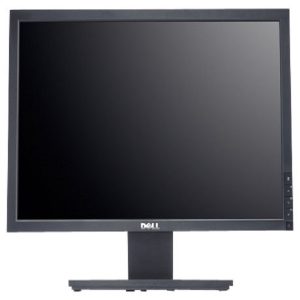
Description
19 inches tft monitor screen diagonal inch 5.7 Active Area mm 115.2(H) x 86.4(V) Pixels H x V 320 x 3(RGB) x 240 Pixel Pitch mm 0.36 x 0.36 Pixel Arrangement R.G.B. Vertical Stripe Display Mode TN, Normally White Nominal Input Voltage VDD Volt 3.3 typ.
n
n
n
Key Features and Characteristics:
n
n
n
n
n
-
n
-
n
nnnScreen Size:
n
n
n19 inches diagonally, offering a balance between screen real estate and desk space.
nnnnn
n
n
n
n
n
n
-
n
nnnTFT Technology:
n
n
nThis active matrix technology ensures individual control of each pixel, resulting in sharp images, good color reproduction, and reduced motion blur.
nnnnn
n
n
n
n
n
n
-
n
nnnResolution:
n
n
nOften found with a resolution of 1280 x 1024 pixels (SXGA), providing sufficient detail for typical office and general computing tasks.
nnnnn
n
n
n
n
n
n
-
n
nnnAspect Ratio:
n
n
nTypically 5:4, a more square-like shape compared to widescreen formats, which can be preferred for certain applications like document editing.
nnnnn
n
n
n
n
n
n
-
n
nnnViewing Angles:
n
n
nWide viewing angles (often 160° horizontal and vertical) allow for comfortable viewing from various positions.
nnnnn
n
n
n
n
n
n
-
n
nnnResponse Time:
n
n
nFast response times (e.g., 5ms) minimize motion blur, making them suitable for everyday tasks and light multimedia use.
nnnnn
n
n
n
n
n
n
-
n
nnnConnectivity:
n
n
nCommonly include VGA and DVI-D ports for connecting to different types of computers.
nnnnn
n
n
n
n
n
n
-
n
nnnEnergy Efficiency:
n
n
nDesigned to consume relatively low power, contributing to energy savings.
nnnnn
n
n
n
n
n
n
-
n
nnnAnti-Glare:
n
n
nMany models feature an anti-glare coating to reduce reflections and improve viewing comfort.
nnnnn
n
n
n
n
n
n
-
n
nnnAdjustability:
n
n
nMay offer tilt adjustments and VESA mounting compatibility for customizable viewing angles and flexible placement options.
nnnnn
n
n
n
n
n
n
n
n
n
n
n
n
n
n
n
n
n
n
n
n
n
19 inches tft monitor common Uses:
n
n
n
n
n
-
n
-
n
nnnOffice Environments:
n
n
nIdeal for general office tasks like word processing, spreadsheets, and web browsing.
nnnnn
n
n
n
n
n
n
-
n
nnnHome Offices:
n
n
nProvide a reliable and cost-effective display solution for smaller workspaces.
nnnnn
n
n
n
n
n
n
-
n
nnnEducational Settings:
n
n
nSuitable for students and educators who need a dependable monitor for learning and research.
nnnnn
n
n
n
n
n
n
-
n
nnnPoint-of-Sale Systems:
n
n
nTheir compact size and clear visuals make them suitable for cash registers and other point-of-sale setups.
nnnnn
n
n
n
n
n
n
-
n
nnnLegacy Systems:
n
VGA and DVI-D ports ensure compatibility with older computers and systems.n
n
n
n
n
n
n
n
n
n

Reviews
There are no reviews yet.